Retreat and Facility Rental Management for Camps in KidzMaps
Manage camp facility rentals and hosted retreats with KidzMaps. Organize availability, lodging, group bookings, meals and agreement status, with a guest booking embed.
Updated October 31, 2026
A camp property can host more than its regular camper sessions. A visiting group may need overnight lodging, a meeting room, outdoor space and meals for the same dates. KidzMaps Retreats & rentals brings those arrangements into a dedicated workspace for the organization running the property.
Manage facilities and availability, track groups from inquiry to confirmation, plan meals and follow agreement progress. Add the retreat booking embed to your own website so guests can explore your offerings and request or reserve the appropriate dates. Contact KidzMaps to get Retreats & rentals set up for your organization.
Choose the right offering: facility rental or hosted retreat
A rental suits a group organizing its own event at your property. A hosted retreat suits a program you organize for guests to join. Give each offering a clear description of the space or experience, who it is for and what the group should expect.
| Offering | How guests choose | What to prepare |
|---|---|---|
| Facility rental | The guest chooses dates within your rental rules. | Facilities, capacity, arrival and departure times, and minimum or maximum stays. |
| Hosted retreat | The guest chooses a published retreat with fixed dates. | The retreat dates, places available and resources needed for the event. |
1. Set up the spaces and time between bookings
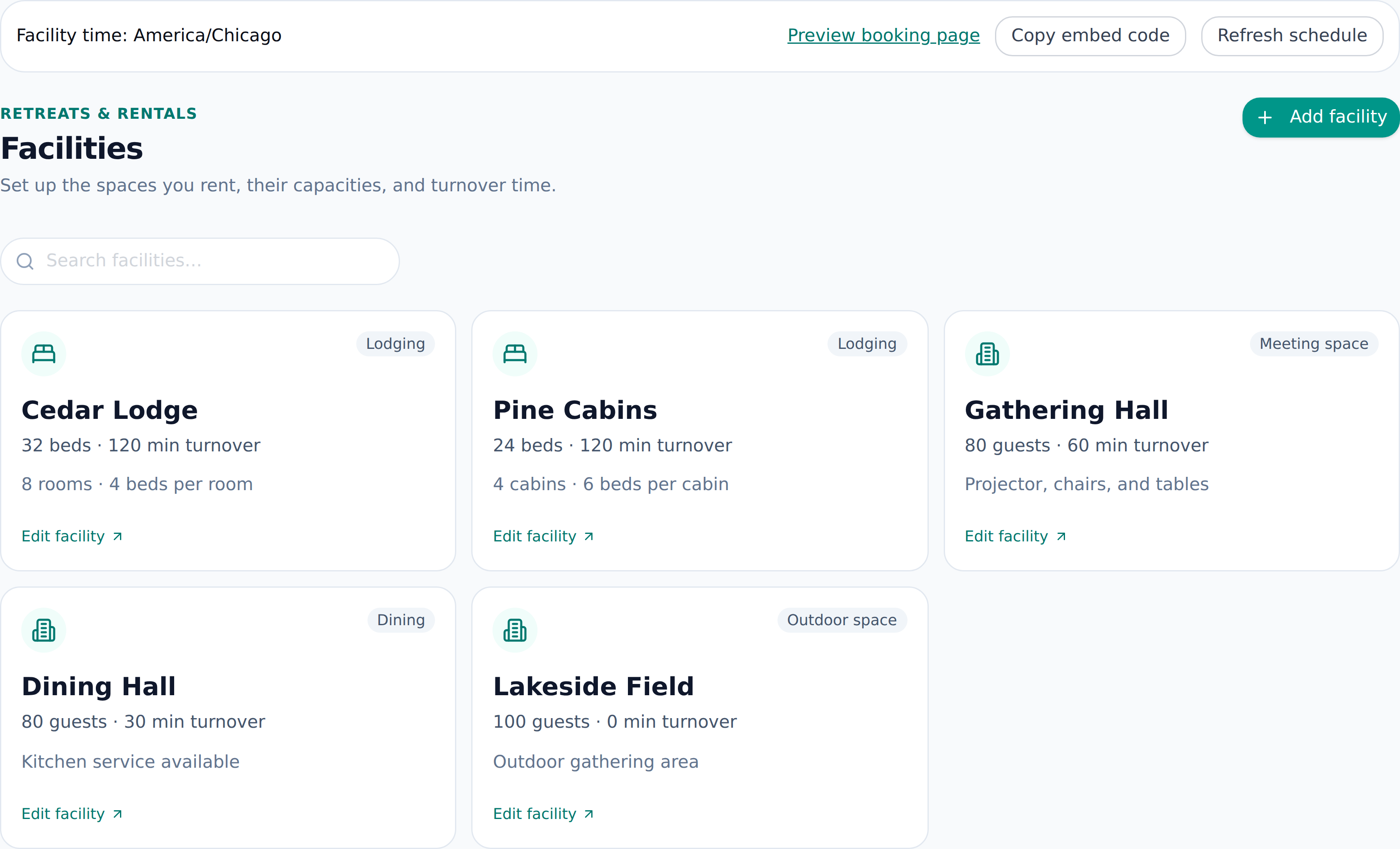
Begin in Facilities. Add the lodging, meeting, outdoor and dining spaces you use, with capacities and practical notes. Set turnaround time where the team needs a cleaning, setup or reset period between groups.
Use the Schedule to see the reservations and blocks that affect availability. Enter arrival and departure times in the facility’s time zone. For an overnight group, allocate enough lodging for all guests before confirming the arrangement.
Consider the whole visit, not just the main room. A group may need a hall on Saturday, lodging on Friday and Saturday nights, and dining space for three meal services. Recording those resources together gives the team a clearer picture of the commitment.
2. Move a group from inquiry to confirmation
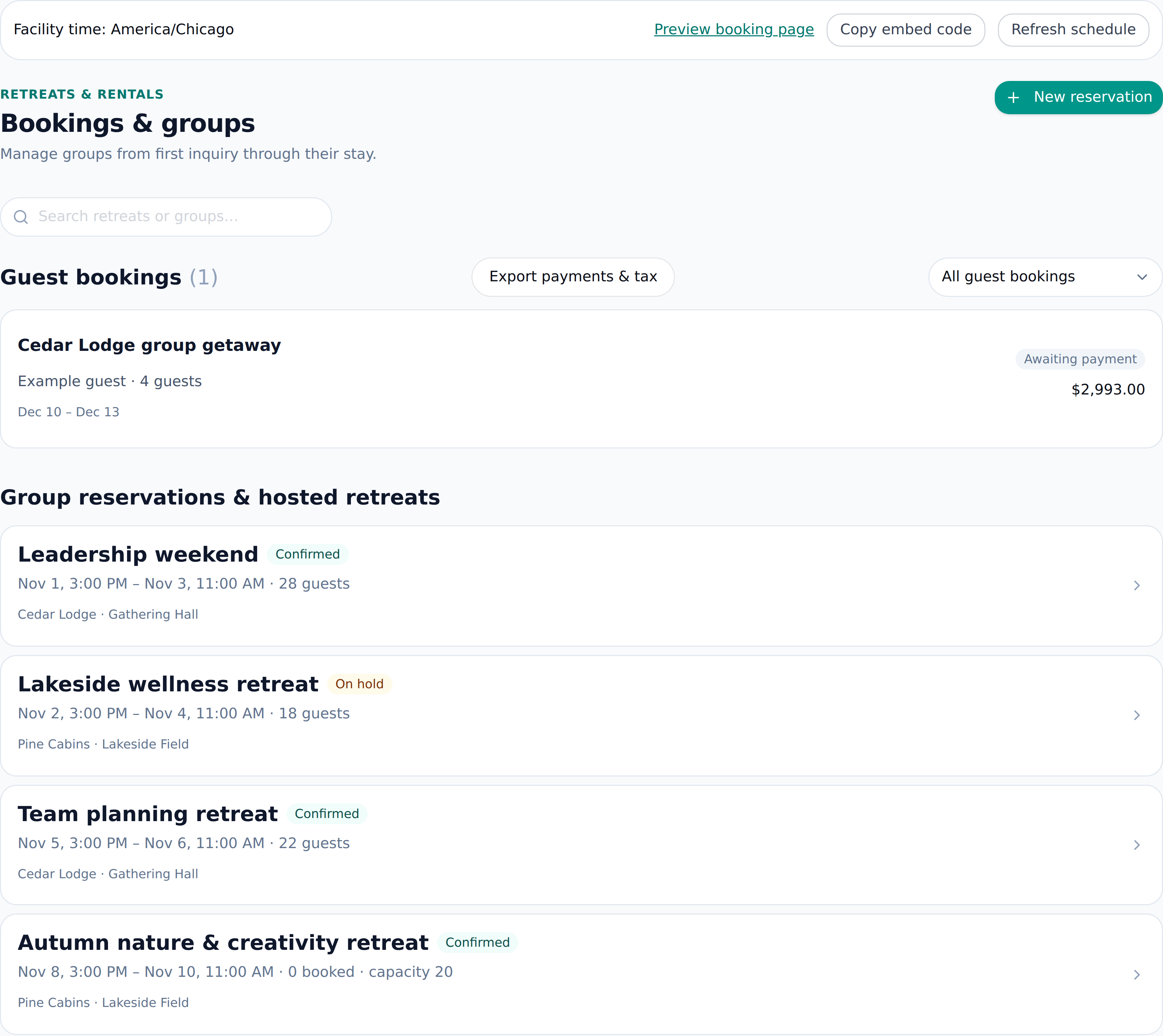
Bookings & groups keeps the group or organization, contact details, dates and allocated resources together. Use inquiry, hold, confirmed and cancelled statuses to show the stage of the arrangement. When using a hold, set its expiry so the team knows when to follow up.
Choose request-to-book when your team should review the arrangement before approval, or instant booking for an offering that can reserve available inventory and confirm after payment. A request awaits approval and does not reserve the space; availability is checked again when it is approved. Approval gives the guest 24 hours to start payment; the checkout itself stays open for 35 minutes.
Before confirming, review guest count, lodging allocation, shared facilities and turnaround time. This is also the right point to settle which spaces are exclusive to the group and which services need a separate conversation.
3. Plan meals and track agreement progress
In Meals, organize service dates and times, headcounts, dietary notes and menu details within the stay. Keep meal counts aligned with the group’s latest plans, including day visitors where relevant.
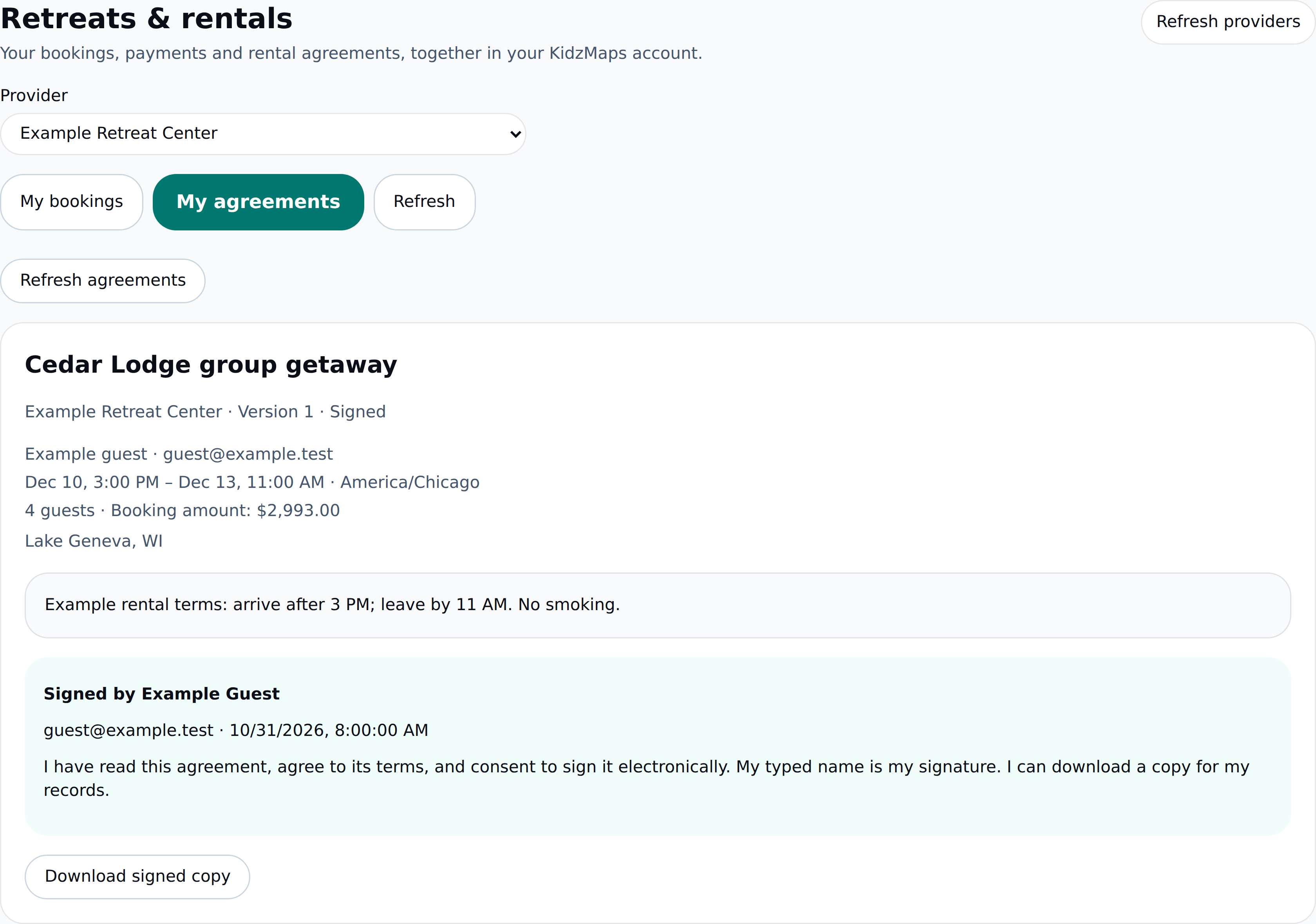
In Contracts, write your default rental terms, customize an agreement for a specific booking and send it for electronic signature. Guests review and sign with their verified email account. Both sides can download the signed copy, and earlier versions remain in the booking history.
Connect Stripe and review the combined sales and lodging tax for each paid listing. Guests see the subtotal, service fee, tax and total before secure checkout. Paid bookings confirm only after payment succeeds; free bookings confirm without checkout. Track receipts and refunds in Bookings & groups and export retreat payments and tax for reconciliation.
4. Add retreat booking to your website
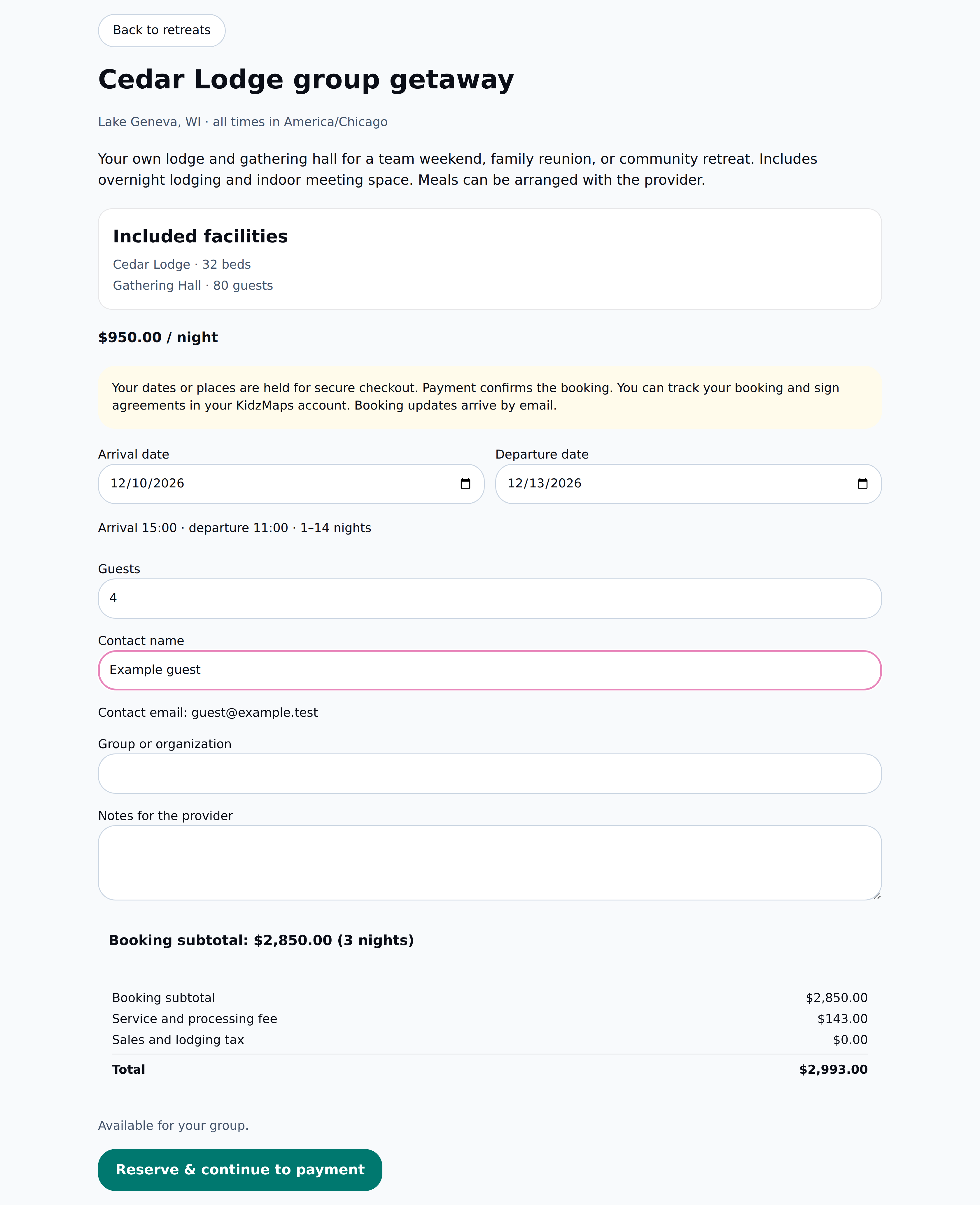
In Listings & activities, prepare the rental or hosted-retreat listing and its booking mode. Use the workspace’s preview and copyable embed code to place the retreat catalog on your own website.
Put the embed alongside useful property information: access instructions, room or facility descriptions, the types of groups you host and a contact path for planning questions. A guest should be able to understand the offering before selecting dates.
Review the embedded experience on a phone and desktop before linking to it from your main navigation. Check the wording, date rules and how a request or confirmation is described, so the guest knows the next step.
A planning worksheet for the next group
| Detail | Record before confirmation |
|---|---|
| Group and contact | Organization name, planning contact and expected guest count. |
| Dates and spaces | Arrival, departure, lodging and all activity or meeting spaces. |
| Meals | Service times, counts and dietary planning notes. |
| Agreement and money | Agreement progress, final price, payment arrangements and due dates. |
| Property handoff | Setup requirements, turnaround time and the staff member responsible. |
Frequently Asked Questions
Does KidzMaps support retreat and camp facility rentals?
Yes. Retreats & rentals provides a dedicated workspace for facilities, schedules, group bookings, meals and agreement tracking. Contact KidzMaps to get it set up for your organization.
Can guests book from our own website?
Yes. The provider workspace offers a retreat booking preview and copyable embed code for your website. Listings can use requests requiring approval or instant booking. Paid bookings continue to secure checkout before confirmation.
How are retreat payments and agreements handled?
Guests pay through secure Stripe checkout from the retreat embed. Providers can customize their agreement terms, collect an electronic signature and retain a signed copy. Bookings show payment, refund and agreement status.
Can we offer both fixed-date retreats and date-based rentals?
Yes. Hosted retreats have fixed dates and available places. Facility rentals let guests choose dates within the stay rules you set.
Bring facilities, guest groups and the visit plan together. Ask about Retreats & rentals, Explore KidzMaps for providers, Organize camp cabins and groups, Open Retreats & rentals help
